CONSTRUCTION DELIVERY NOTE DATA CAPTURE PROGRAM
GPT-4o AI
+ OCR

The most powerful combination for document management: OCR with GPT-4o AI
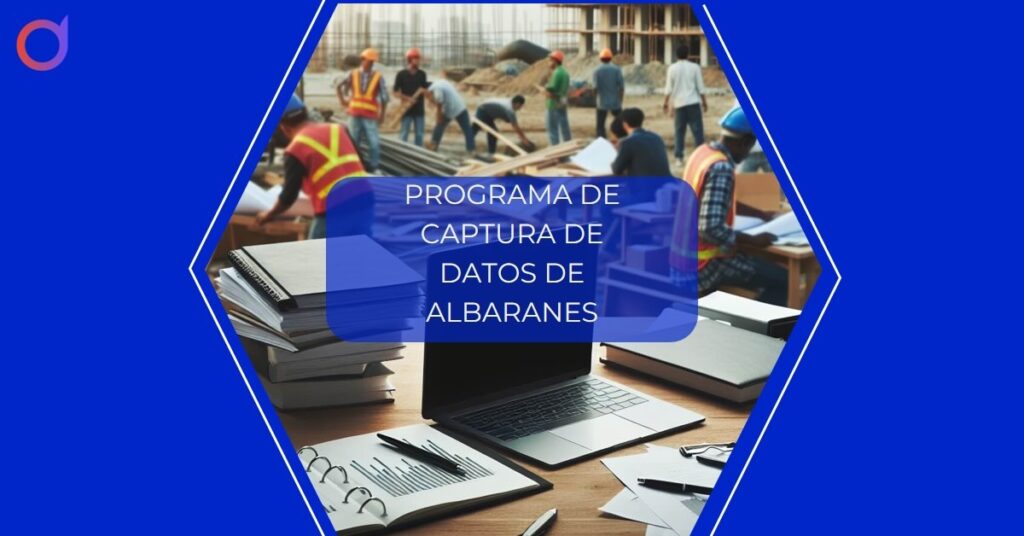
Table of Contents
- Why does your real estate construction company need a delivery note data capture program?
- How the Dijit.app delivery note data capture program works
- Step 1: Capture delivery notes with your mobile device
- Step 2: Intelligent processing of the automatic capture program
- Step 3: Import into your accounting system or Excel
- Optimize time with automatic capture
- Documents and formats compatible with Dijit.app
- Advantages of the automatic data capture program with Dijit.app
- Integration of the automatic data capture program with ERP systems
- Maximum security and privacy in automatic captures
- Fast and efficient support with Dijit.app
- Request a free demo of the program
Why does your real estate construction company need a delivery note data capture program?
Efficient management of delivery notes is crucial for companies in the real estate and construction sector. These documents contain valuable information about the materials received, their quantity, the supplier, and the delivery date. However, manual data entry can be error-prone and very time-consuming. This is where Dijit.app can make a difference with its OCR and AI technology.
How Dijit.app’s delivery note data capture program works
Dijit.app greatly simplifies delivery note management. You only need to take a photo of the document with your mobile device or upload a PDF file. Our OCR technology then takes care of extracting all the relevant data in a matter of seconds. In addition, thanks to our AI, this data is organized and prepared to be imported into your accounting system or Excel.
Step 1: Capture delivery notes with your mobile device
The first step in the process is as simple as taking a photo of the delivery note with your mobile device or scanning it if you prefer to work with physical documents. You can also upload a PDF file if you already have your documents digitized. This process is quick and easy, allowing you to save valuable time that you can devote to other important tasks.
Step 2: Intelligent processing of the data capture program
Once you have taken the photo or uploaded the PDF, Dijit.app gets to work. Our OCR technology extracts all the relevant data from the document in a matter of seconds. But that’s not all, our AI also organizes this data into a table that is easy to read and manage, making subsequent handling easier.
Step 3: Import into your accounting system or Excel
The final step is to import this data into your accounting system or Excel. With a single click, you can download all this organized information in Excel format, ready to be imported into any accounting system you use in your company.
Optimize time with automatic capture
Save valuable hours that were previously spent on tedious, error-prone manual entry. With Dijit.app, you can automate this process and ensure that your delivery note data is always up to date and error-free. In addition, with automatic capture, you can have more precise control over your inventory and improve your company’s efficiency.

Documents and formats compatible with Dijit.app
Our data capture software is not limited to delivery notes. You can also use it to automate the capture of data from invoices, expense receipts, forms, records, reports, and payroll documents. In addition, Dijit.app is compatible with a wide variety of formats including JPG/JPEG, PNG, BMP, TIFF, and PDF. This means you can work with the format that best suits you without having to worry about compatibility.
Advantages of the automatic capture software with Dijit.app
In addition to the significant savings in time and resources associated with manual data entry, our software offers other advantages. For example, it allows you to generate detailed reports and manage data from our application or download it in Excel. You can also create unlimited users to facilitate access to relevant information within your company.
Integration of the software with ERP systems
Dijit.app not only allows you to download data in Excel, but also to integrate it directly with any ERP system through our API. This means you can have all your data organized and accessible from your accounting system without the need to perform any manual import.
Maximum security and privacy in automatic capture
Security is a priority for us. That is why we store all your information on secure servers, complying with all European privacy regulations. In addition, our team is always available to resolve any questions or issues you may have regarding the security or privacy of your data.
Fast and efficient support with Dijit.app
Our team is committed to offering you the best possible service. If you have any questions or encounter any issues while using our automatic capture software, do not hesitate to contact us. Our experts are always available to help you resolve any problem quickly so you can keep working without interruptions.
Request a free demo of the automatic capture software
If you want to see how Dijit.app can benefit your company before making a final decision, we invite you to request a free demo. You will be able to see how our software works in real time and see for yourself all the advantages it can offer your company. Don’t wait any longer and request your free demo today.

Dijit.app
Request a free demo
Our security and technology partners