DATA CAPTURE SOFTWARE
GPT-4o AI
+ OCR

The most powerful combination for
document management
Table of Contents
- What is data capture and why is it crucial for your SME?
- How Dijit.app revolutionizes data capture
- The data capture process with Dijit.app
- Traditional methods vs. data capture with Dijit.app
- Advantages of automated data capture with Dijit.app
- Pros of data capture with Dijit.app
- Cons of manual data capture
- Industries that benefit from data capture with Dijit.app
- How to get started with data capture with Dijit.app
- Take the leap to data capture with Dijit.app today
What is data capture and why is it crucial for your SME?
Data capture is the process of collecting and transforming information from physical or digital documents into a machine-readable format. This process is essential for SMEs, as it enables the digitization and analysis of large volumes of information. With data capture, companies can make data-driven decisions, improve efficiency, and reduce human errors. In addition, data capture allows businesses to save time and resources, since they do not need to dedicate staff to perform these tasks manually.
How Dijit.app revolutionizes data capture
Dijit.app is an AI software tool with OCR that automates data capture. It can extract information from a variety of business documents, such as invoices, expense receipts, delivery notes, forms, and records. In addition to saving time and reducing errors, Dijit.app also offers intelligent document storage and search, unlimited user creation, and fast data capture and processing. With Dijit.app, SMEs can focus on what they do best, while the software takes care of data capture.
The data capture process with Dijit.app
The data capture process with Dijit.app is simple and efficient. First, the software scans and captures information from the documents. Then, it uses OCR technology to extract the data and convert it into a machine-readable format. This data can be exported to Excel or sent to another management system via API. The entire process takes just 1 or 2 seconds per page, allowing businesses to save thousands of hours of manual work. In addition, Dijit.app offers an intuitive and easy-to-use user interface, making it easier for employees to adopt the software.

SME Success Stories That Have Implemented OCR Digitization
There are numerous success stories of SMEs that have implemented OCR digitization. For example, accounting firms have managed to significantly reduce the time spent on manual data entry, improving their efficiency and accuracy. Retail stores have used OCR digitization to digitize and organize their invoices and receipts, making it easier to track sales and inventory. These cases demonstrate how OCR digitization can transform business operations and lead to significant improvements in efficiency and productivity.
Why Is OCR Digitization a Cost-Effective Investment for Your SME?
OCR digitization is a cost-effective investment for your SME because it can lead to significant time and cost savings. By converting physical documents into digital formats, you can reduce storage and paper costs. In addition, digitized documents are easier to search and access, which can save time and improve productivity. Also, by having your documents in digital format, you can implement stronger security measures to protect your data. In short, OCR digitization can improve your business efficiency and provide a significant return on investment.
How OCR Digitization Can Improve Your SME’s Efficiency
OCR digitization can improve your SME’s efficiency in several ways. First, by converting physical documents into digital formats, you can access and search information more quickly and easily. This can significantly reduce the time spent searching for documents and manual data entry. Second, OCR digitization can facilitate remote work, since digitized documents can be accessed from anywhere. Finally, OCR digitization can improve the security of your documents, as digital documents can be backed up and protected with passwords.
Pros and cons of data capture with Dijit.app
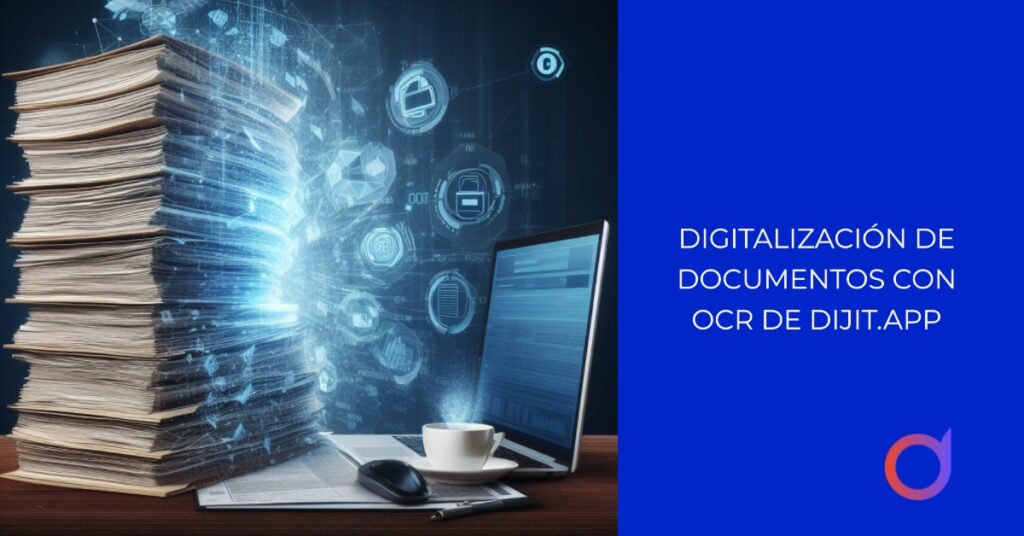
Data capture with Dijit.app has many advantages. It allows businesses to save time and resources, reduces errors, and makes data-driven decision-making easier. In addition, Dijit.app is easy to use and can process a wide variety of documents. However, it also has some drawbacks. For example, the initial implementation may require time and resources. Also, although Dijit.app is highly accurate, it is not 100% foolproof and there may be times when manual review is required. Despite these drawbacks, the benefits of Dijit.app far outweigh its disadvantages.
How to get started with data capture with Dijit.app
Getting started with data capture with Dijit.app is easy. First, you need to register on the platform and create an account. Then, you can upload your documents to the platform and Dijit.app will begin processing them automatically. The extracted data can be exported to Excel or sent to another management system via API. Dijit.app also offers customer support to help you every step of the way. In short, Dijit.app makes data capture a simple and hassle-free process.
Take the leap into data capture with Dijit.app today
If you are looking for an efficient way to capture and process data, Dijit.app is the perfect solution. With its OCR technology and easy-to-use user interface, Dijit.app makes data capture a fast and error-free process. Don’t waste any more time and resources on manual and outdated data capture methods. Take the leap into data capture with Dijit.app today and discover how it can revolutionize your business.

Dijit.app
Request a free demo
Our security and technology partners